Array Processing in Power Automate – Tip 1
26/03/2024

Simple array processing solution in Power Automate
Array processing time problem
Problem: Using an “Apply to Each” workflow causes Power Automate to process each record subsequentially, greatly affecting performance time.
Using an “Apply to Each” command results in the workflow having to go through each record sequentially (one after another) before beginning the next record. This causes poor performance and will make your flow run frustratingly slow. The image shows this workflow “Apply to each” action took 4 minutes to only complete 500 records.

Problem scenario:
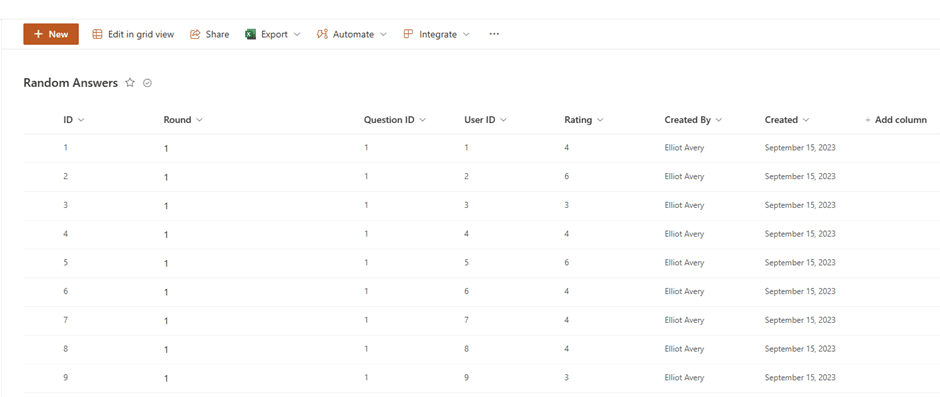
We have is a SharePoint list which contains random answers from a survey where users give answers between 1-10. We want to capture the 500 latest submissions and put it in an array so that we can use in our Power Automate flow. We are looking to obtain the following fields question ID, the rating and who submitted the answer.
Workflow step 1
We can create a workflow to do this very quickly by using the "Get Items" action which will get items in the SharePoint List. We will give it a top count of 500 items and order the list in descending order based off the ID.

Workflow step 2
We can then initilise a variable called "MyArray" and append the information we want from the value of the "Get Items" action.
This is where array processing time becomes a problem

Solution to array processing time in Power Automate
Luckily, there is a little-known solution in Power Automate – Concurrency
When running a "Apply to each" action you can go into settings and change the items concurrency. Concurrency refers to how many actions in the loop will run at once. By turning Concurrency on in the settings you can boost the "Degree of Parallelism" up to 50 times. This means instead of running actions sequentially, Power Automate will run 50 actions at one time!


Summary
While this method can address many issues, it may not be suitable when the sequence of items is crucial for subsequent stages in your workflow, as it overlooks the order of the elements during row processing. Therefore, if maintaining the array's order is essential for later processes, this approach will be ineffective.

For more information from Microsoft on Power Automate – click here